> ## Documentation Index
> Fetch the complete documentation index at: https://docs.hellotars.com/llms.txt
> Use this file to discover all available pages before exploring further.
# Create your Tars account
> Start building AI agents by creating your new Tars account using email registration or one-click social sign upwith Google, LinkedIn, or Outlook
## Sign up with social media
Sign up with Google
Sign up with LinkedIn
Sign up with Outlook
Sign up with Enterprise SSO
## Manual account signup
Create your Tars account by providing your personal information. You'll need to enter your first name, last name, work email address, and phone number to complete the registration.
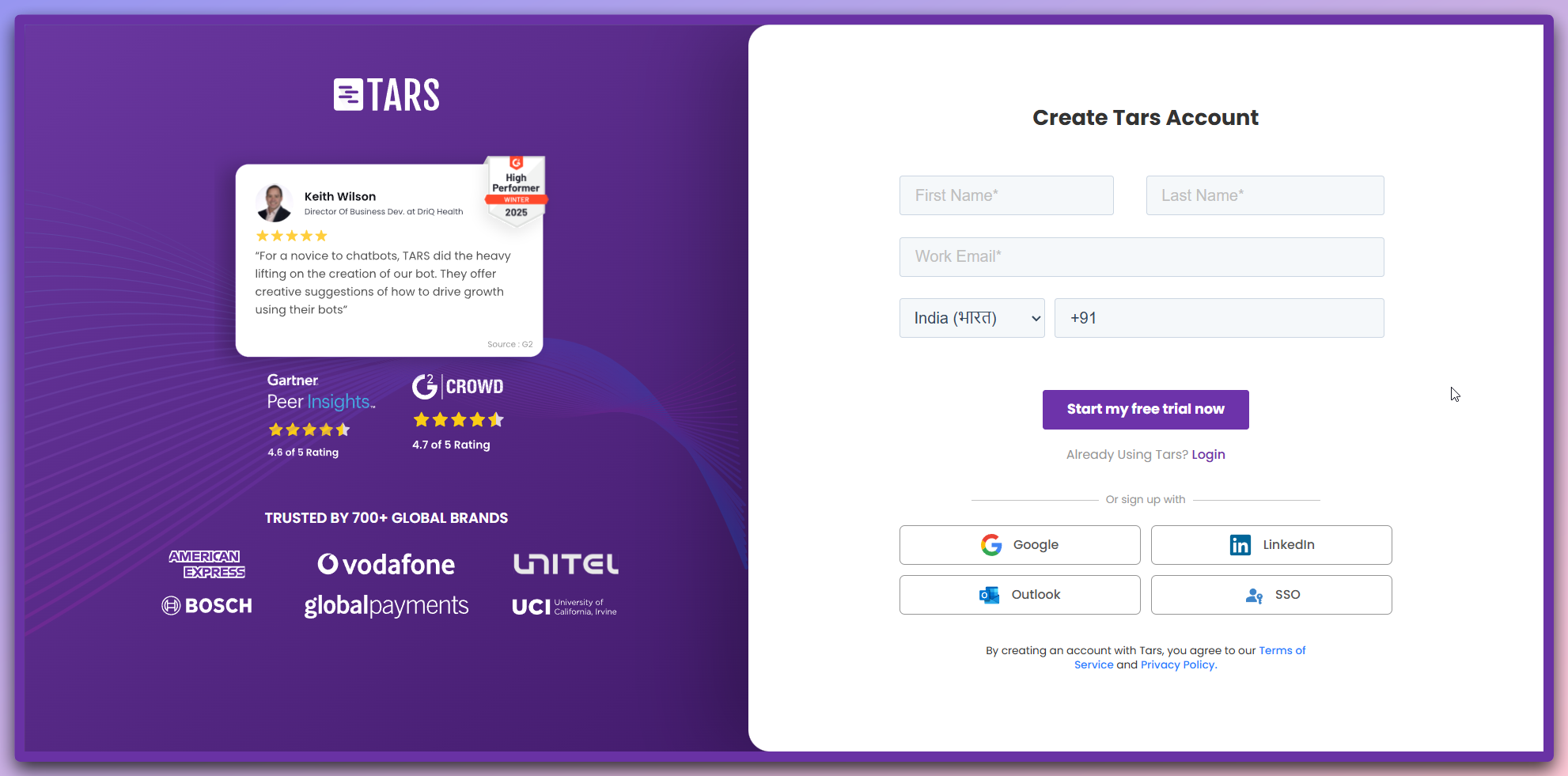 ### Step-by-step sign upprocess
Fill out your basic information:
* **First Name**
* **Last Name**
Provide your contact details:
* **Work Email** address
* **Phone Number** with country code
* Click **"Start my free trial now"**
* You'll be redirected to the dashboard
* You'll be prompted to create a password
* Enter your **Password**
* **Confirm Password**
* Click **"Create Account"**
* You'll be redirected to the login page
* Sign in with your email and password
**Account created!** Once you sign in, you'll be taken to your dashboard where you can start building your first AI Agent.
### Step-by-step sign upprocess
Fill out your basic information:
* **First Name**
* **Last Name**
Provide your contact details:
* **Work Email** address
* **Phone Number** with country code
* Click **"Start my free trial now"**
* You'll be redirected to the dashboard
* You'll be prompted to create a password
* Enter your **Password**
* **Confirm Password**
* Click **"Create Account"**
* You'll be redirected to the login page
* Sign in with your email and password
**Account created!** Once you sign in, you'll be taken to your dashboard where you can start building your first AI Agent.