> ## Documentation Index
> Fetch the complete documentation index at: https://docs.hellotars.com/llms.txt
> Use this file to discover all available pages before exploring further.
# Create from Knowledge
> Build AI Agents that answer questions using your knowledge base
Create powerful AI Agents that can answer questions and provide information based on your existing knowledge content. This process automatically scrapes, processes, and trains your content to build a smart assistant.
## Creation methods
Choose how you want to create your knowledge-powered Agent:
Build agents that scrape and learn from website content
Build agents that process and learn from PDF documents
## Step-by-step creation process
Navigate to the Create Agent page and click on the **Create from Knowledge** card to begin the process.
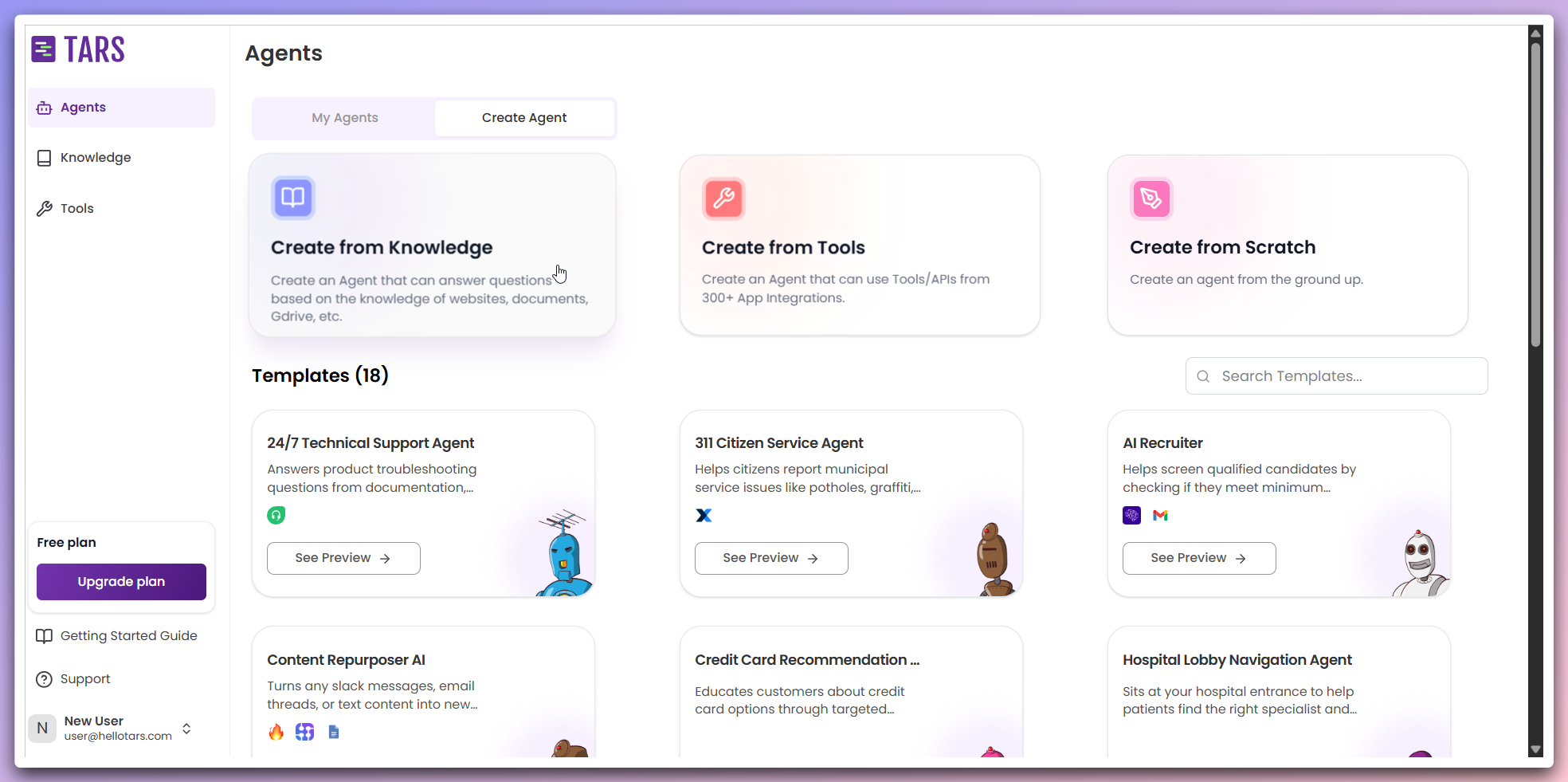 This opens a modal dialog where you can configure your knowledge-powered Agent.
In the modal, select the data source for training your Agent's Knowledge Base and customize the Agent's appearance:
This opens a modal dialog where you can configure your knowledge-powered Agent.
In the modal, select the data source for training your Agent's Knowledge Base and customize the Agent's appearance:
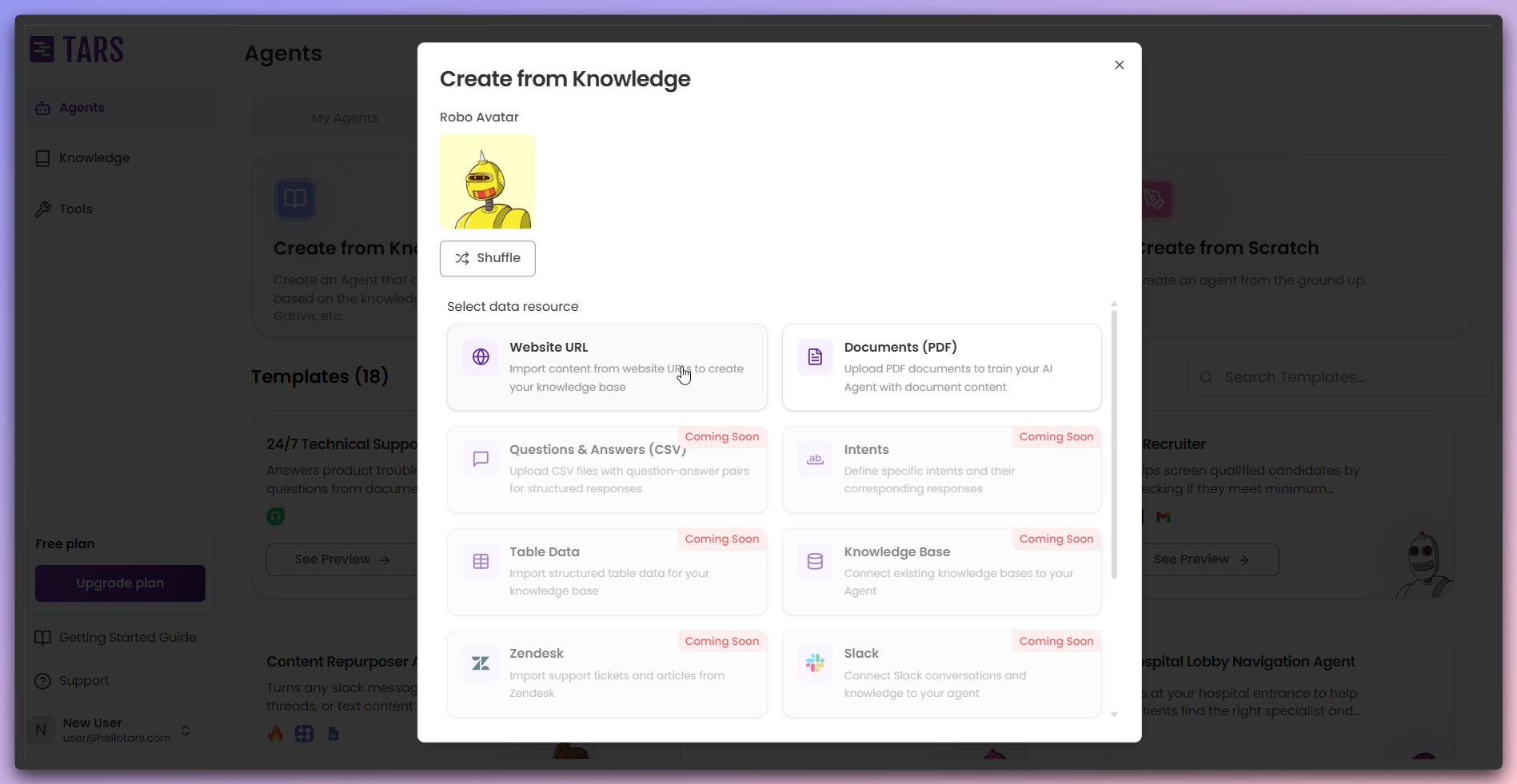 **Customization options:**
* **Data Source**: Choose the type of content to train your Agent
* **Agent Icon**: Select or change the icon representing your Agent
You can choose from various data sources and customize your Agent's icon. Additional data source options will be introduced in future updates.
**Content Updates**: If your source website or documents change significantly,
you may need to retrain your Knowledge Base to ensure the Agent has access to
the latest information.
**Customization options:**
* **Data Source**: Choose the type of content to train your Agent
* **Agent Icon**: Select or change the icon representing your Agent
You can choose from various data sources and customize your Agent's icon. Additional data source options will be introduced in future updates.
**Content Updates**: If your source website or documents change significantly,
you may need to retrain your Knowledge Base to ensure the Agent has access to
the latest information.