> ## Documentation Index
> Fetch the complete documentation index at: https://docs.hellotars.com/llms.txt
> Use this file to discover all available pages before exploring further.
# AI Agent templates
> Explore pre-built Agent templates for quick start
AI Agent templates provide ready-to-use solutions for common business scenarios, allowing you to quickly deploy AI Agents without starting from scratch.
 In the support dropdown menu, click on `AI Agent Templates` to access our template library.
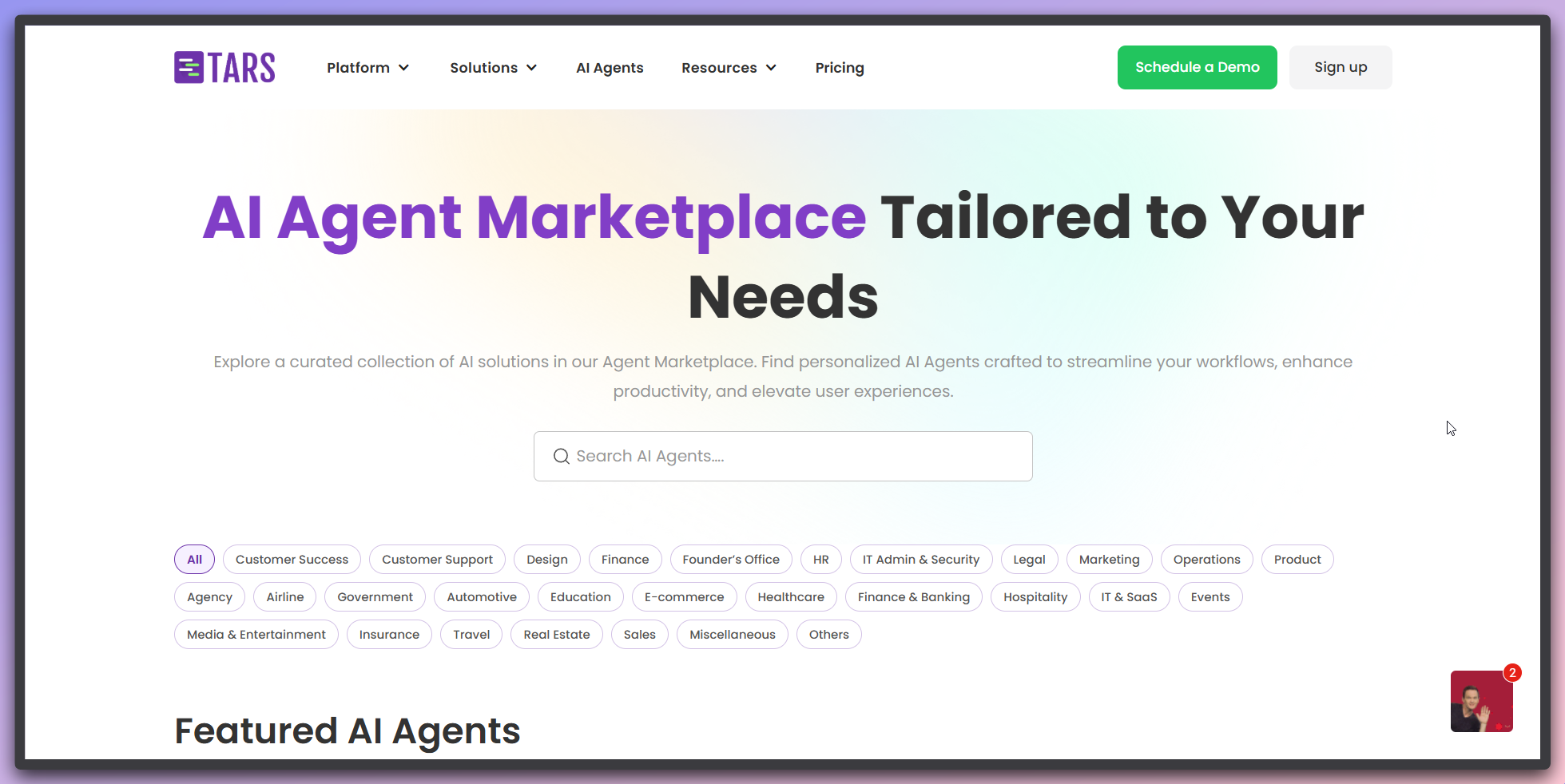
This opens the TARS AI Agent marketplace in a new browser tab.
The AI Agent marketplace opens with over 1000+ pre-built templates:
In the support dropdown menu, click on `AI Agent Templates` to access our template library.
This opens the TARS AI Agent marketplace in a new browser tab.
The AI Agent marketplace opens with over 1000+ pre-built templates:
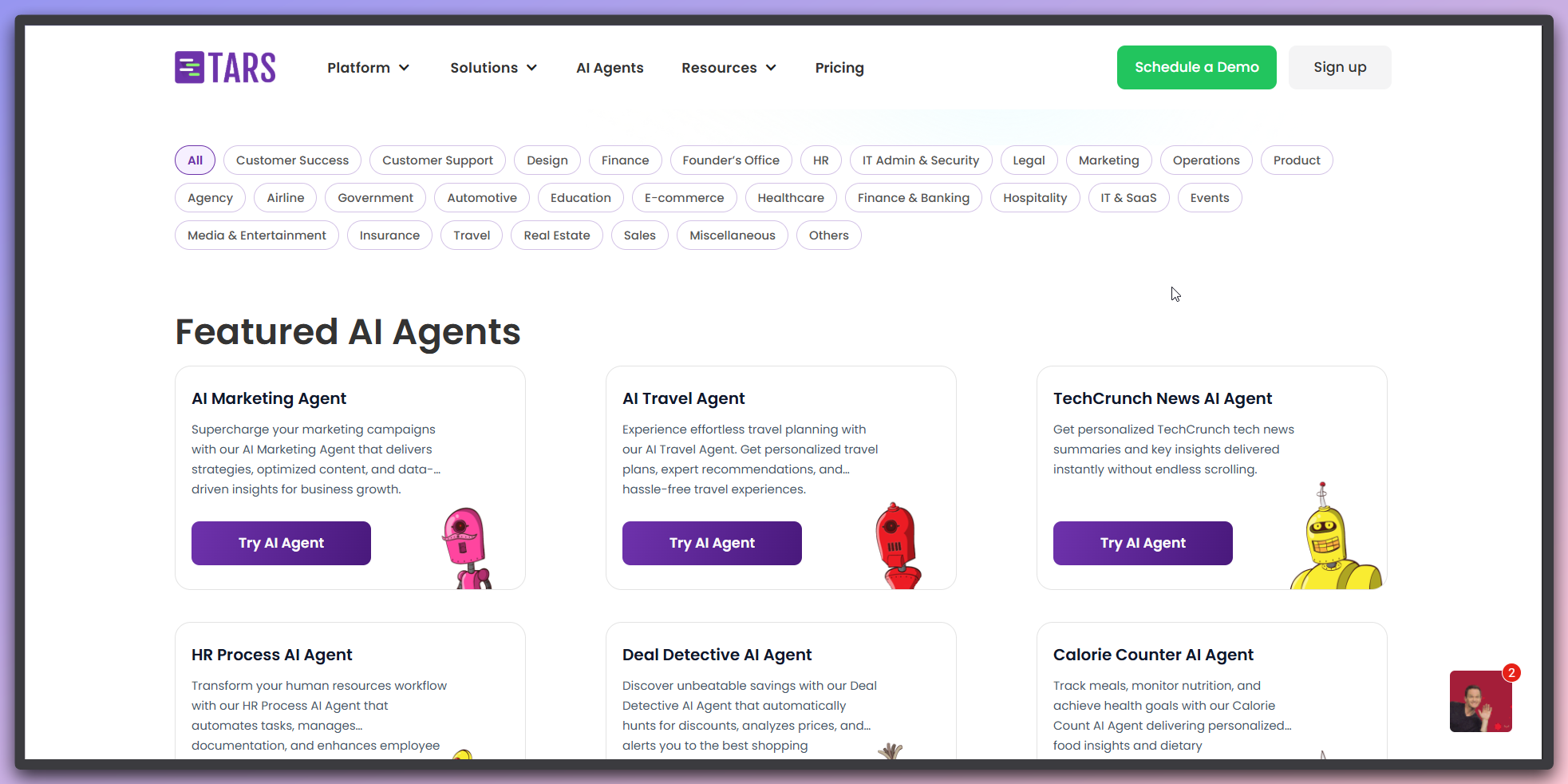 **Marketplace overview:**
* **1000+ templates**: Extensive library of ready-to-use AI Agent templates
* **Search functionality**: Use the search bar to find specific Agent types
* **Category filters**: Browse by industry, function, or use case at the top
* **Template cards**: Each template shows description, features, and action buttons
**Template cards include:**
* Template name and description
* Key features and capabilities
* `Use this template` button for direct creation
* `Try AI Agent` button for testing the template
**Marketplace Description**: "AI Agent Marketplace Tailored to Your Needs" -
designed to help you find the perfect AI solution for your business.
Choose a template that fits your needs:
**Marketplace overview:**
* **1000+ templates**: Extensive library of ready-to-use AI Agent templates
* **Search functionality**: Use the search bar to find specific Agent types
* **Category filters**: Browse by industry, function, or use case at the top
* **Template cards**: Each template shows description, features, and action buttons
**Template cards include:**
* Template name and description
* Key features and capabilities
* `Use this template` button for direct creation
* `Try AI Agent` button for testing the template
**Marketplace Description**: "AI Agent Marketplace Tailored to Your Needs" -
designed to help you find the perfect AI solution for your business.
Choose a template that fits your needs:
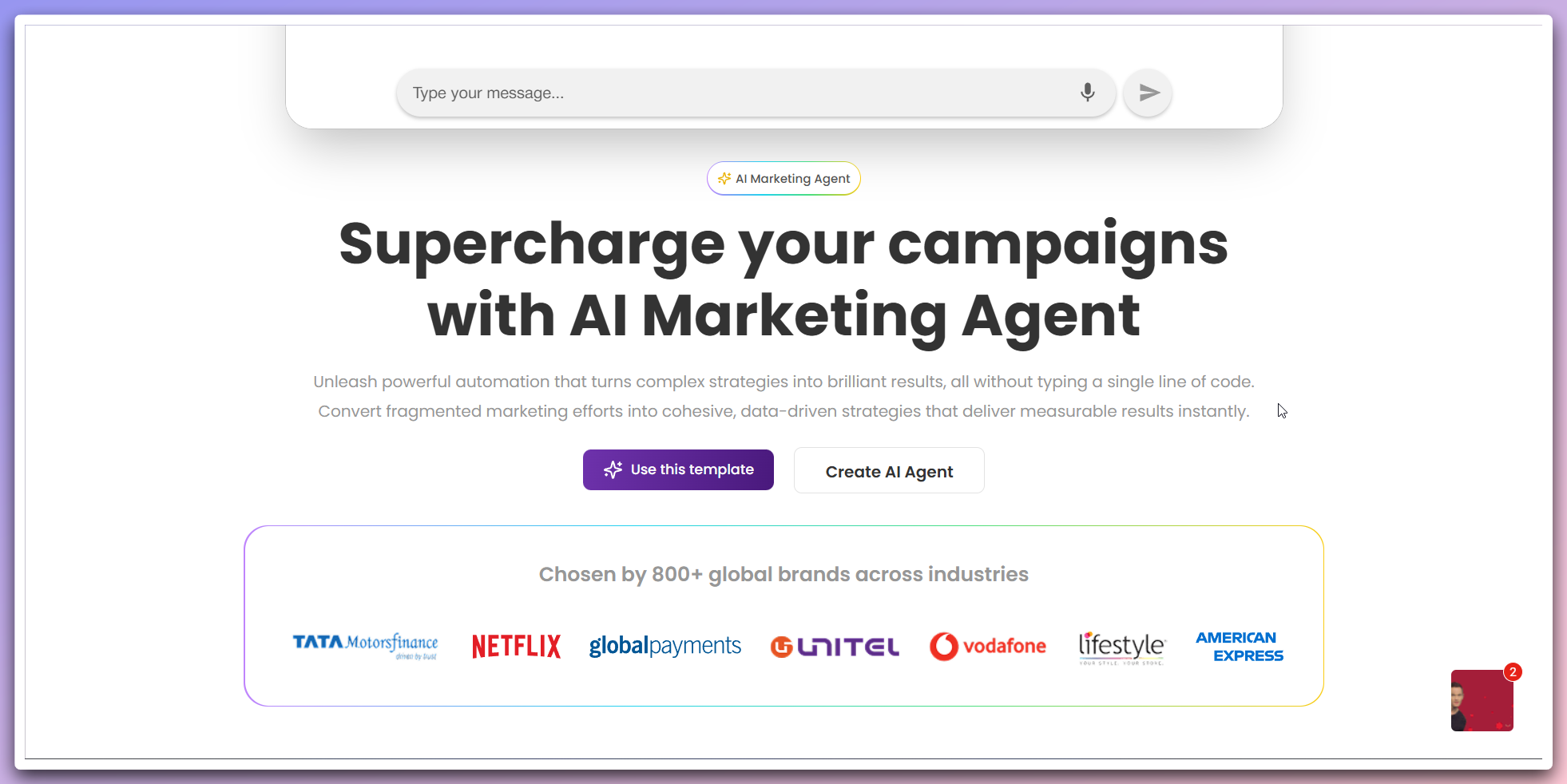 **Template options:**
* **Try AI Agent**: Click `Try AI Agent` to interact with the template and see how it works
**Template detail page:**
* **Interactive demo**: Test the Agent's capabilities and responses
* **Description**: Detailed information about the template's purpose and features
* **Video demonstration**: Watch how to build and customize the template
* **Creation options**: Choose to use the template or create from scratch
* **Use template**: Click `Use this template` to create your own Agent based on the template
**Template testing**: Use "Try AI Agent" first to understand how the template works before creating your own version.
## Template benefits
**Quick deployment:**
* **1000+ ready-to-use**: Pre-built solutions that can be deployed immediately
* **Best practices**: Templates incorporate industry best practices and proven workflows
* **Time savings**: Skip the initial setup and focus on customization
**Professional quality:**
* **Expert-designed**: Templates created by industry experts and experienced users
* **Tested solutions**: Proven templates with demonstrated success
* **Scalable architecture**: Built to handle growth and increased usage
**Template selection**: Start with a template close to your use case, then
customize it to match your specific requirements and branding.
## Using templates
Explore available templates by industry or use case
Review template features and capabilities
Start with a template and customize it for your needs
## Next steps
Build a new Agent from scratch
Learn about AI Agent workflows
**Template options:**
* **Try AI Agent**: Click `Try AI Agent` to interact with the template and see how it works
**Template detail page:**
* **Interactive demo**: Test the Agent's capabilities and responses
* **Description**: Detailed information about the template's purpose and features
* **Video demonstration**: Watch how to build and customize the template
* **Creation options**: Choose to use the template or create from scratch
* **Use template**: Click `Use this template` to create your own Agent based on the template
**Template testing**: Use "Try AI Agent" first to understand how the template works before creating your own version.
## Template benefits
**Quick deployment:**
* **1000+ ready-to-use**: Pre-built solutions that can be deployed immediately
* **Best practices**: Templates incorporate industry best practices and proven workflows
* **Time savings**: Skip the initial setup and focus on customization
**Professional quality:**
* **Expert-designed**: Templates created by industry experts and experienced users
* **Tested solutions**: Proven templates with demonstrated success
* **Scalable architecture**: Built to handle growth and increased usage
**Template selection**: Start with a template close to your use case, then
customize it to match your specific requirements and branding.
## Using templates
Explore available templates by industry or use case
Review template features and capabilities
Start with a template and customize it for your needs
## Next steps
Build a new Agent from scratch
Learn about AI Agent workflows