> ## Documentation Index
> Fetch the complete documentation index at: https://docs.hellotars.com/llms.txt
> Use this file to discover all available pages before exploring further.
# Join our Community forum
> Connect with other TARS users, share your experiences, and get help from the community.
Community provides access to our Discord server where you can connect with other TARS users, share experiences, get peer-to-peer support, and stay updated with platform developments.
 ## Joining the Community
In the support dropdown menu, click on `Community` to access our Discord community.
This opens the Discord invitation popup in a new browser tab.
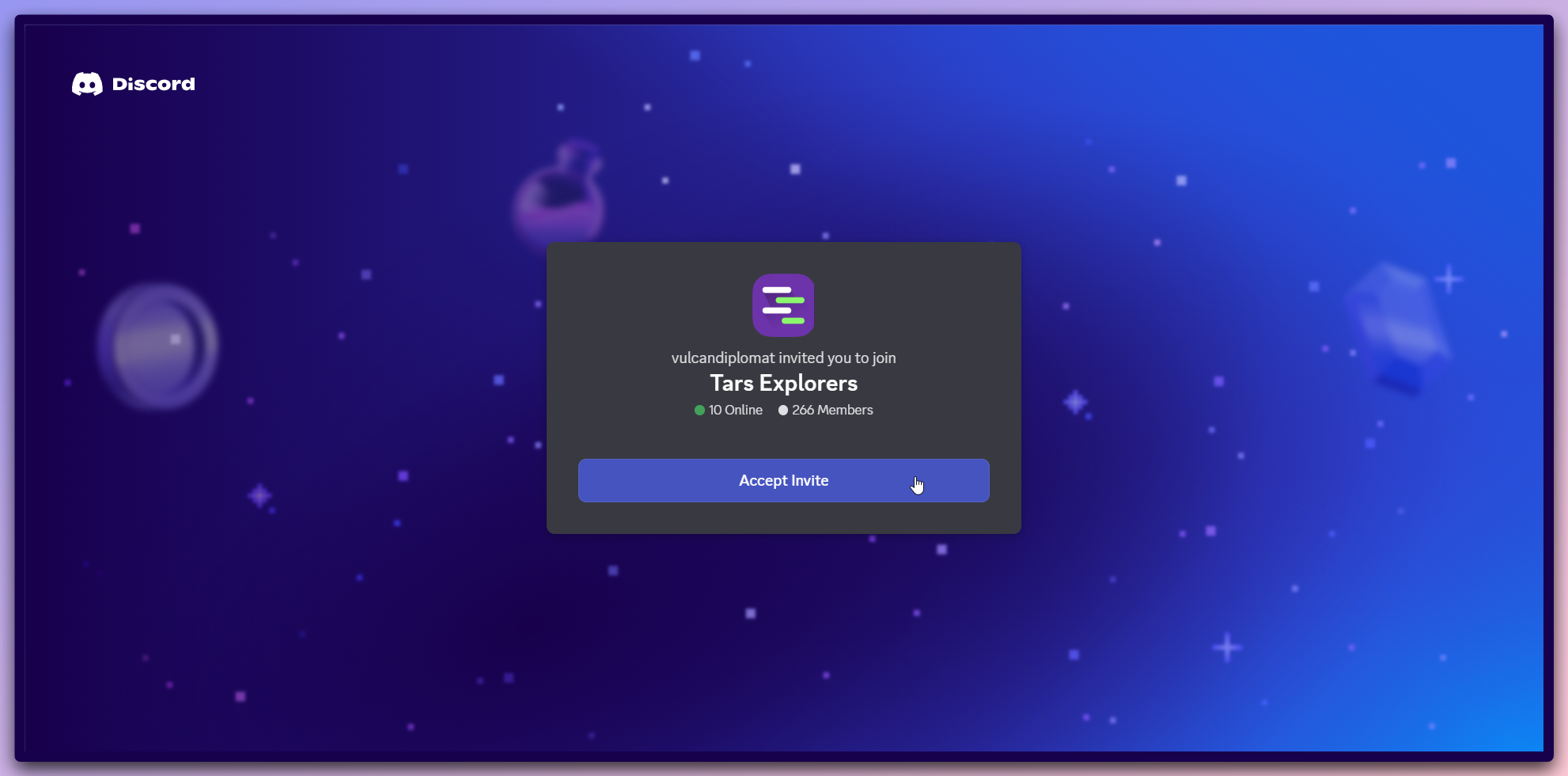
The Discord invitation popup opens with community details:
**Community information:**
* **Server name**: "Tars Explorers"
* **Invitation**: "vulcandiplomat invited you to join"
* **Active members**: 266 members in the community
* **Online status**: 10 members currently online
* **Server icon**: Stylized representation with green activity indicators
**Join process:**
* Review the community information and member count
* Click the `Accept invite` button (purple button with white text)
* You'll be redirected to Discord to complete the join process
**Discord Account**: You'll need a Discord account to join the community. If
you don't have one, you can create a free account during the join process.
Once joined, explore the various community channels:
**Community features:**
* **General discussion**: Main channel for platform discussions and questions
* **Help & support**: Dedicated channel for getting help from community members
* **Showcase**: Share your AI Agents and success stories
* **Feature requests**: Suggest new features and improvements
* **Announcements**: Stay updated with platform news and updates
**Community benefits:**
* **Peer support**: Get help from experienced TARS users
* **Knowledge sharing**: Learn from others' experiences and implementations
* **Networking**: Connect with other professionals using AI Agents
* **Early access**: Get early access to new features and beta programs
* **Best practices**: Discover tips and tricks from the community
**Active participation**: The community is most valuable when you actively
participate in discussions and share your own experiences.
Make the most of your community membership:
**Getting help:**
* **Ask questions**: Post your questions in the appropriate channels
* **Search history**: Use Discord's search to find answers to previously asked questions
* **Tag moderators**: Use @mentions to get attention from community moderators
* **Share context**: Provide detailed information about your use case for better assistance
**Contributing:**
* **Share success stories**: Post about your successful AI Agent implementations
* **Answer questions**: Help other community members with their questions
* **Provide feedback**: Share your thoughts on platform features and improvements
* **Participate in discussions**: Join conversations about AI Agent best practices
**Community guidelines:**
* **Be respectful**: Maintain a professional and respectful tone
* **Stay on-topic**: Keep discussions relevant to TARS and AI Agents
* **No spam**: Avoid promotional content or repetitive messages
* **Help others**: Contribute to the community by helping fellow members
**Community guidelines**: Please follow Discord's terms of service and the TARS community guidelines to maintain a positive environment for all members.
## Community benefits
**Learning and growth:**
* **Peer learning**: Learn from other users' experiences and implementations
* **Problem solving**: Get help with technical challenges and implementation issues
* **Best practices**: Discover proven strategies and optimization techniques
**Networking and collaboration:**
* **Professional network**: Connect with other professionals in your industry
* **Collaboration opportunities**: Find potential partners for joint projects
* **Industry insights**: Stay informed about AI Agent trends and developments
**Platform engagement:**
* **Feature feedback**: Influence platform development through community feedback
* **Beta testing**: Participate in early access programs for new features
* **Direct communication**: Connect with the TARS team and other community members
**Regular participation**: Check the community regularly for updates, new
discussions, and opportunities to help others or get help with your projects.
## Community benefits
Get help from experienced Tars users
Discuss use cases and best practices
Suggest and vote on new features
Get latest updates and announcements
## Joining the Community
In the support dropdown menu, click on `Community` to access our Discord community.
This opens the Discord invitation popup in a new browser tab.
The Discord invitation popup opens with community details:
**Community information:**
* **Server name**: "Tars Explorers"
* **Invitation**: "vulcandiplomat invited you to join"
* **Active members**: 266 members in the community
* **Online status**: 10 members currently online
* **Server icon**: Stylized representation with green activity indicators
**Join process:**
* Review the community information and member count
* Click the `Accept invite` button (purple button with white text)
* You'll be redirected to Discord to complete the join process
**Discord Account**: You'll need a Discord account to join the community. If
you don't have one, you can create a free account during the join process.
Once joined, explore the various community channels:
**Community features:**
* **General discussion**: Main channel for platform discussions and questions
* **Help & support**: Dedicated channel for getting help from community members
* **Showcase**: Share your AI Agents and success stories
* **Feature requests**: Suggest new features and improvements
* **Announcements**: Stay updated with platform news and updates
**Community benefits:**
* **Peer support**: Get help from experienced TARS users
* **Knowledge sharing**: Learn from others' experiences and implementations
* **Networking**: Connect with other professionals using AI Agents
* **Early access**: Get early access to new features and beta programs
* **Best practices**: Discover tips and tricks from the community
**Active participation**: The community is most valuable when you actively
participate in discussions and share your own experiences.
Make the most of your community membership:
**Getting help:**
* **Ask questions**: Post your questions in the appropriate channels
* **Search history**: Use Discord's search to find answers to previously asked questions
* **Tag moderators**: Use @mentions to get attention from community moderators
* **Share context**: Provide detailed information about your use case for better assistance
**Contributing:**
* **Share success stories**: Post about your successful AI Agent implementations
* **Answer questions**: Help other community members with their questions
* **Provide feedback**: Share your thoughts on platform features and improvements
* **Participate in discussions**: Join conversations about AI Agent best practices
**Community guidelines:**
* **Be respectful**: Maintain a professional and respectful tone
* **Stay on-topic**: Keep discussions relevant to TARS and AI Agents
* **No spam**: Avoid promotional content or repetitive messages
* **Help others**: Contribute to the community by helping fellow members
**Community guidelines**: Please follow Discord's terms of service and the TARS community guidelines to maintain a positive environment for all members.
## Community benefits
**Learning and growth:**
* **Peer learning**: Learn from other users' experiences and implementations
* **Problem solving**: Get help with technical challenges and implementation issues
* **Best practices**: Discover proven strategies and optimization techniques
**Networking and collaboration:**
* **Professional network**: Connect with other professionals in your industry
* **Collaboration opportunities**: Find potential partners for joint projects
* **Industry insights**: Stay informed about AI Agent trends and developments
**Platform engagement:**
* **Feature feedback**: Influence platform development through community feedback
* **Beta testing**: Participate in early access programs for new features
* **Direct communication**: Connect with the TARS team and other community members
**Regular participation**: Check the community regularly for updates, new
discussions, and opportunities to help others or get help with your projects.
## Community benefits
Get help from experienced Tars users
Discuss use cases and best practices
Suggest and vote on new features
Get latest updates and announcements