
In order to track conversions on Facebook Pixel, you need to set goal gambits in your bots. To set goal gambits, you need to configure your goal settings.
Setting up Facebook Pixel
1
Open Facebook Ad Manager
Open Facebook’s website and navigate to the Ad Manager page by clicking the Ad link in the sidebar.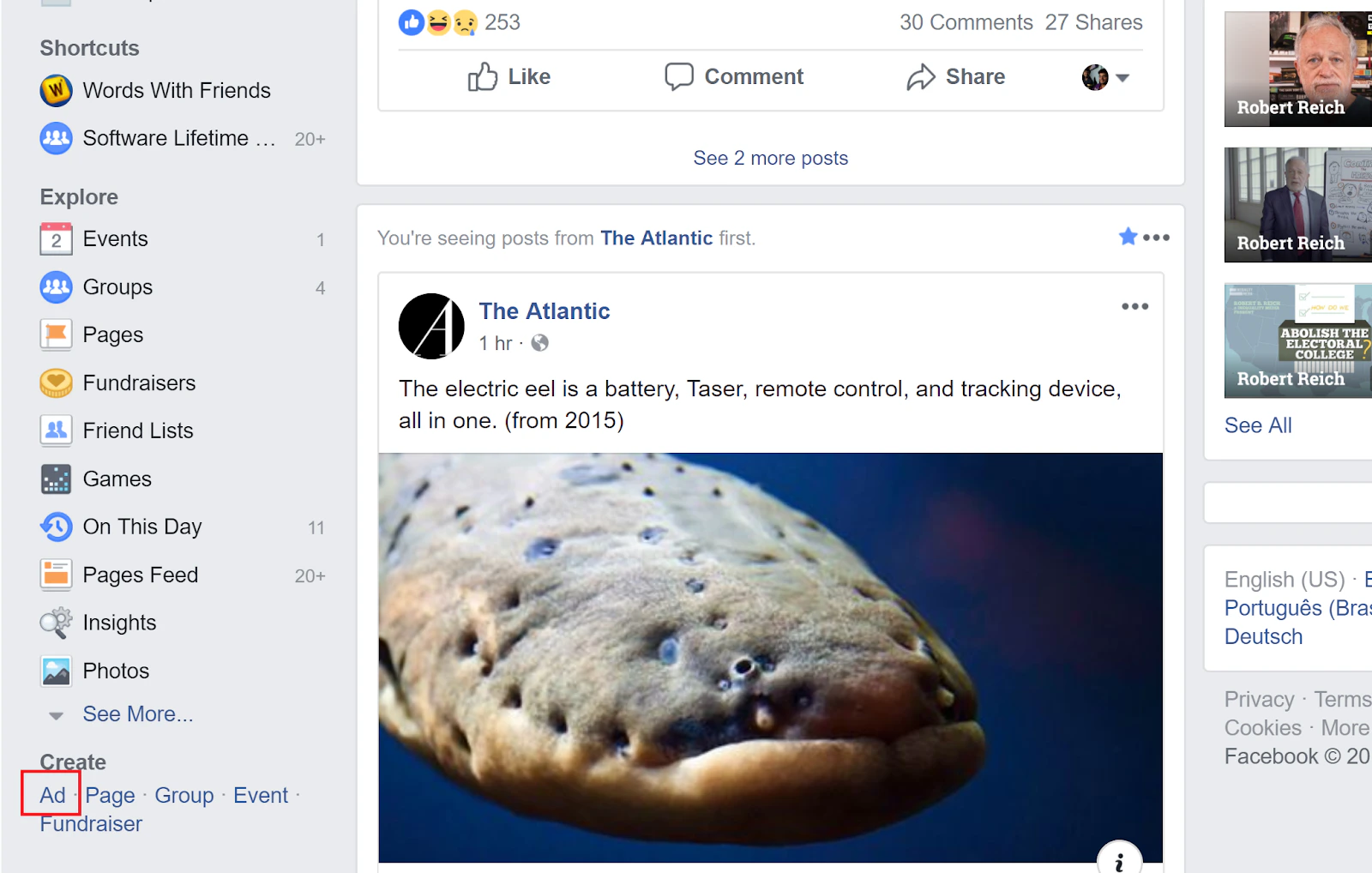
2
Navigate to Pixels
On the Facebook Ad Manager page, click on the menu in the top right of the screen and select the Pixels option under Event Manager.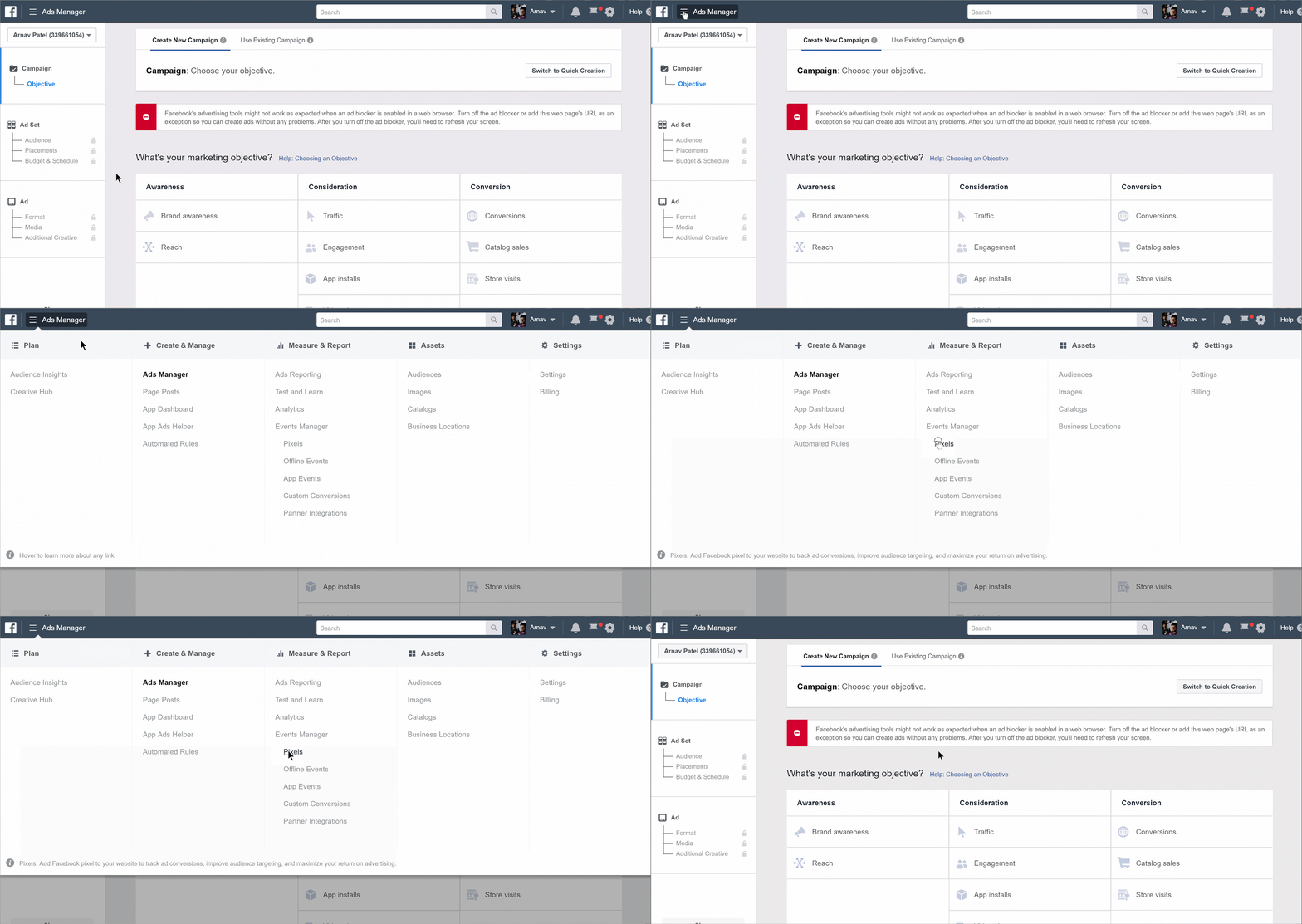
3
Create a Pixel
Once the Pixels page loads, click the Create a Pixel button at the bottom of the page.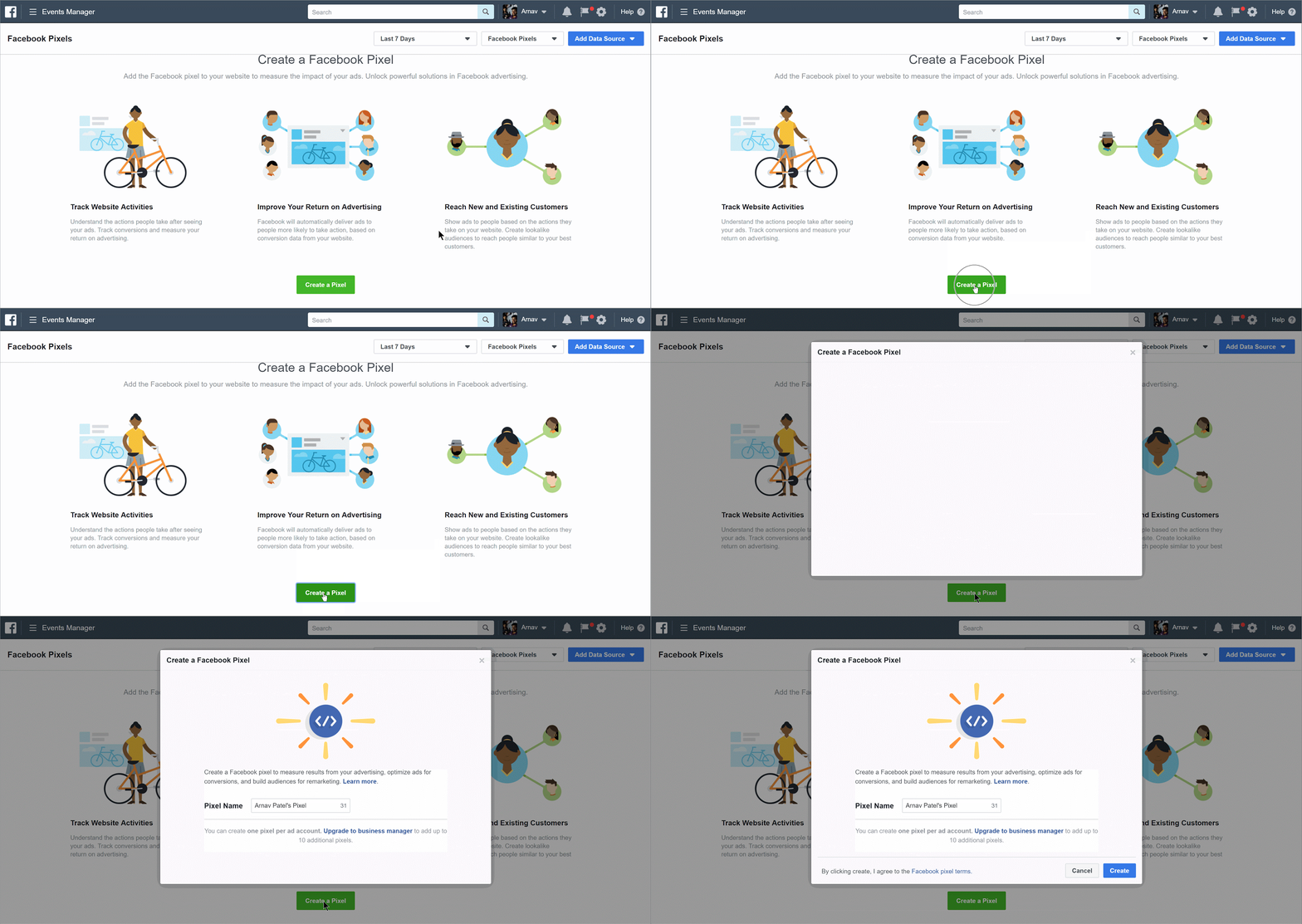
4
Name your Pixel
When the popup loads, rename your pixel and click Create.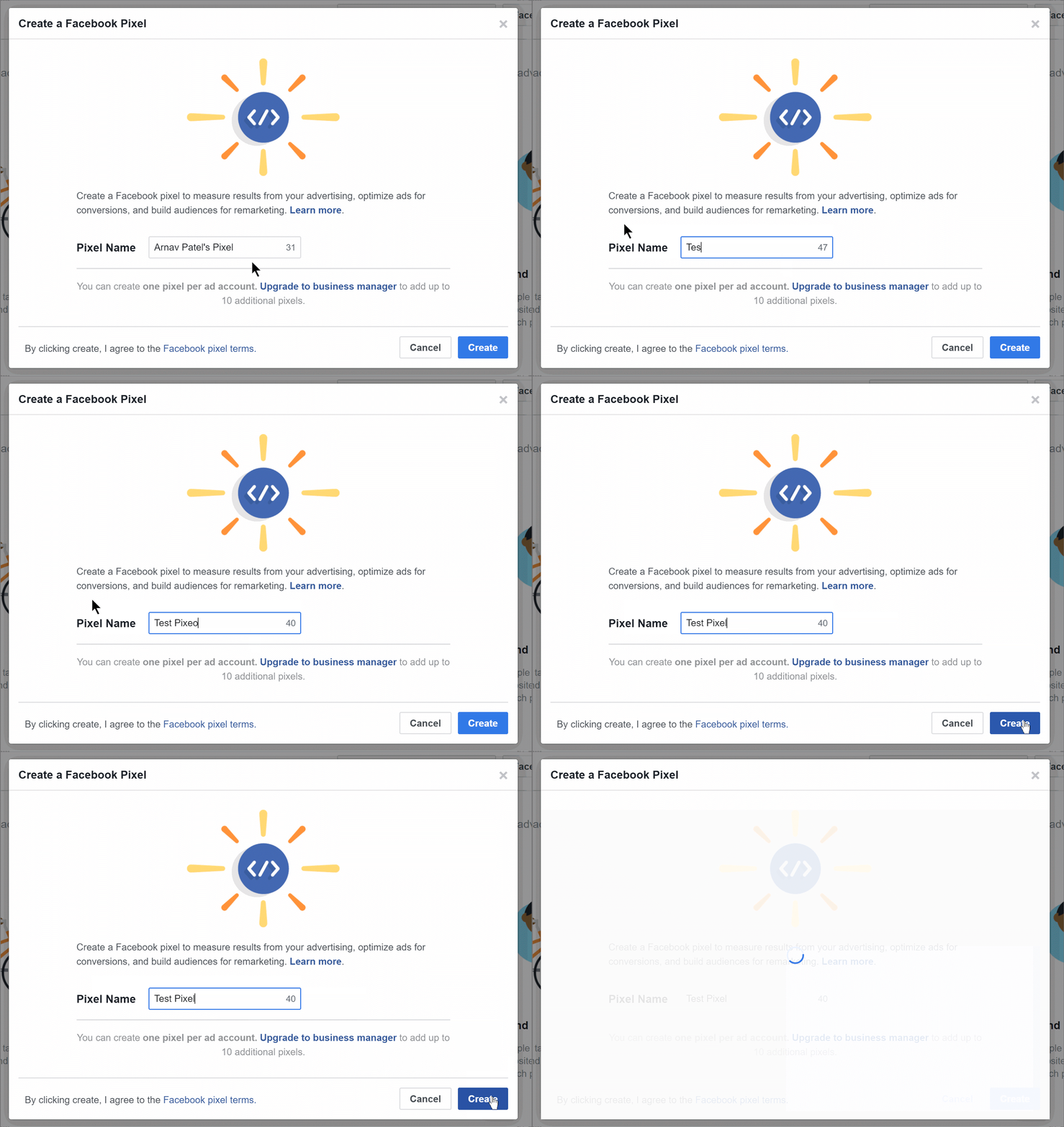
5
Copy the Pixel ID
On the next page, close the popup and copy the Pixel ID from the top right.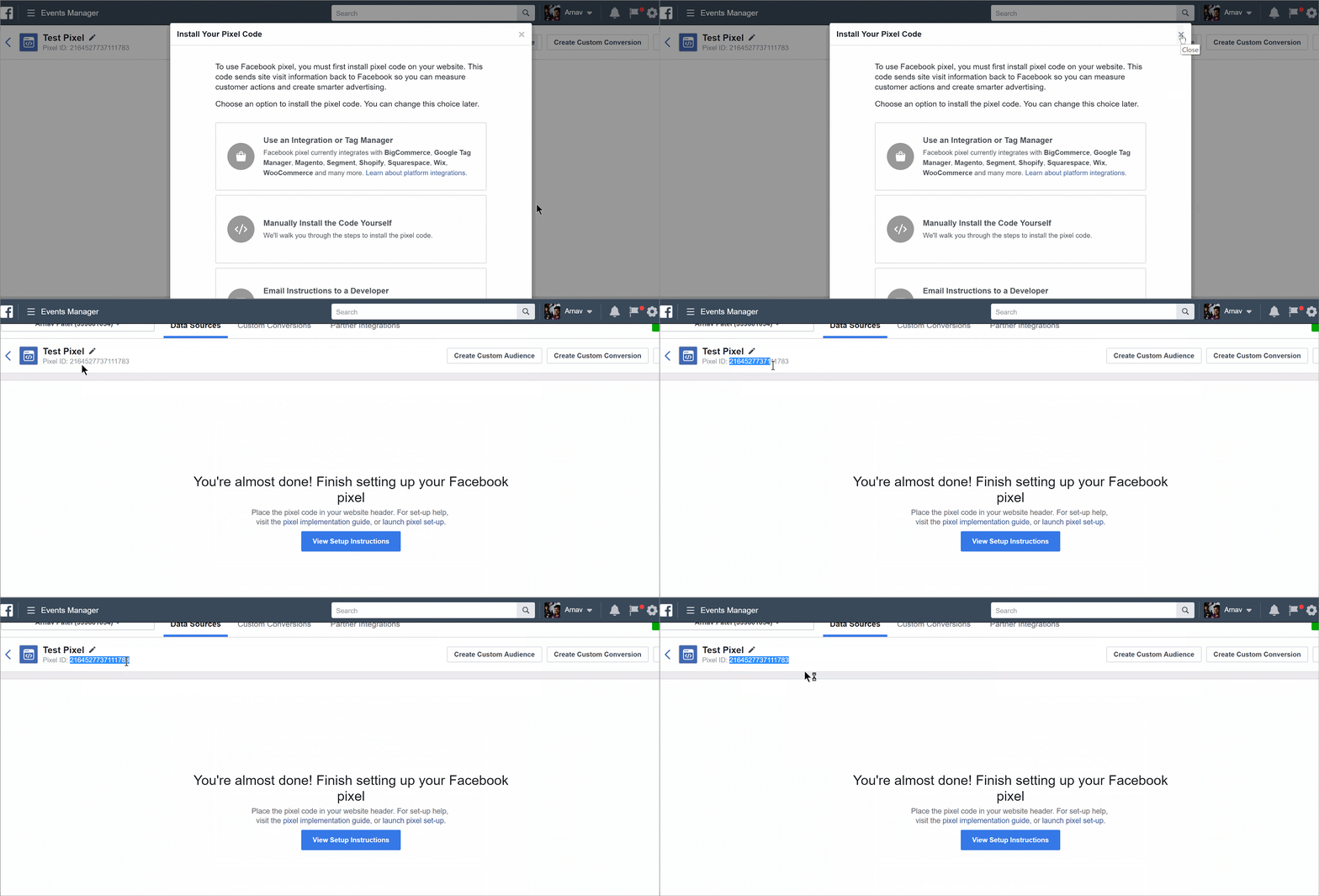
6
Add the Pixel ID to your chatbot
Open your Tars bot, go to Configure → Goal Settings → Third Party Analytics. Expand Facebook and paste the Pixel ID in the appropriate field.Click Save Changes.Your bot is now integrated with Facebook Pixel.
Frequently asked questions
Where do I find my Facebook Pixel ID?
Where do I find my Facebook Pixel ID?
In Facebook Ad Manager, go to Event Manager → Pixels. Your Pixel ID is displayed at the top right of the page. It’s a numeric string like
123456789012345.Why aren't my conversions tracking?
Why aren't my conversions tracking?
Make sure you have set up Goal Gambits in your bot’s Goal Settings. Facebook Pixel conversion events only fire when a Goal Gambit is reached during a conversation. Also verify that your Pixel ID is correct and that you clicked Save Changes.
Can I use Facebook Pixel for retargeting?
Can I use Facebook Pixel for retargeting?
Yes. Once Facebook Pixel is installed on your chatbot, it automatically tracks all visitors. You can then create Custom Audiences in Facebook Ad Manager based on people who interacted with your chatbot and retarget them with ads.